BUILT FOR SOUTH AFRICAN REMOTE TEAMS





HOW OTHOS FIXES THIS
ZERO
Hardware required — use devices your team already owns
SAME
Business number on every call — home, office or on the road
FREE
Internal calls between all extensions, anywhere in SA
FULL
In minutes — download, log in and take calls straight away
WHAT YOUR TEAM GETS
Everything your team needs to work professionally from anywhere
Every feature that works in the office works exactly the same way remotely — no compromises, no limitations.

Business number on any device
Every team member gets a business extension. Their caller ID shows your business number — not their personal mobile. Clients never see private numbers, from any location.

Works on any device — even in your browser
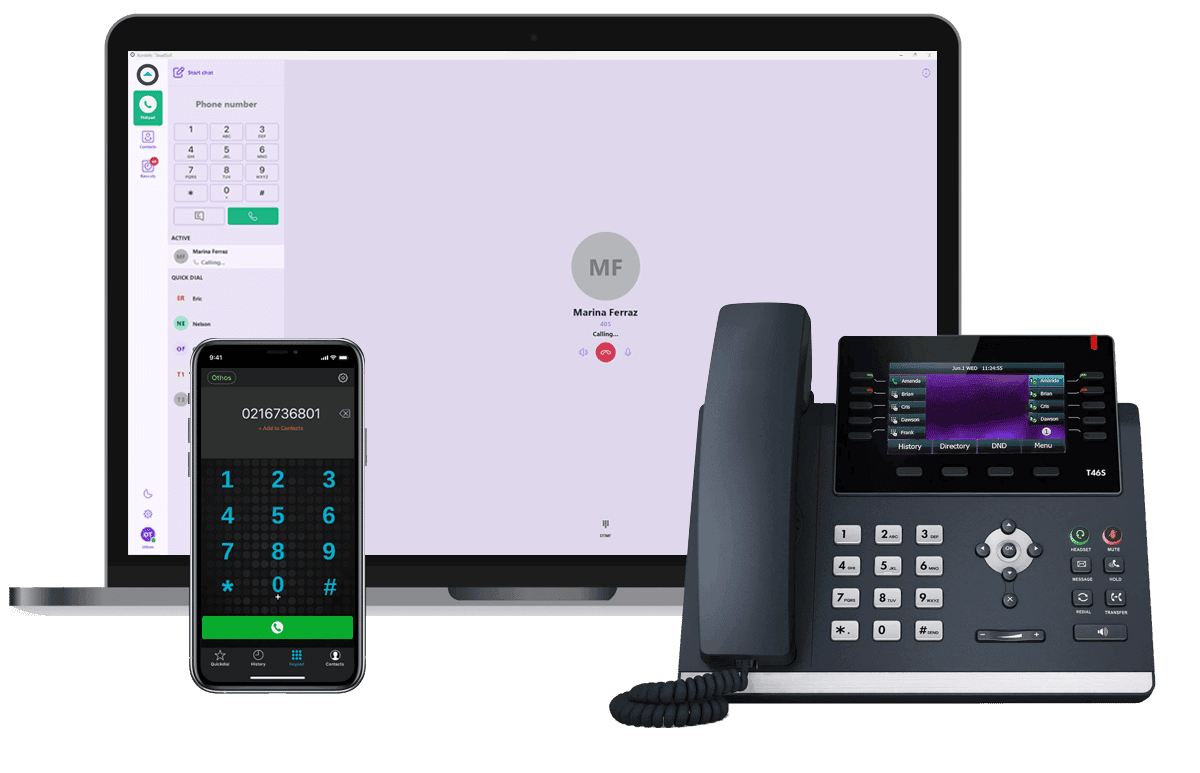
The Othos app runs on iPhone, Android, Windows and Mac. Prefer the browser? The Web Phone works in Google Chrome, or install it from Chrome as an app in its own window. No hardware to ship, no IT support needed.

Full office features, remotely
Transfer calls, ring groups, voicemail to email, call recording, time conditions — every feature works exactly the same whether your team is in the office or not.

Your whole team, one system
Cape Town, Johannesburg, Durban, Pretoria — all on the same phone system, same extension directory, same call routing. Internal calls between any locations are always free.

Office and remote on the same system
Staff in the office and staff at home are on the same extensions. Calls ring on both, transfers work between any two people, and your IVR routes everyone correctly.

Set up in one day
Our SA-based support team configures everything — your extensions, ring groups, time conditions and IVR. Your team downloads the app, logs in and is taking calls the same day.
THE APPS YOUR TEAM USES
Three ways to work from anywhere — mobile, desktop or browser
Take the office line anywhere — on a phone, a computer or a browser tab. The mobile app and desktop softphone are available with every Othos plan; the Web Phone adds a browser line for R25 per user per month.
Mobile App
iOS & Android · Free to download
Your office phone, in your pocket. The Othos mobile app turns any iPhone or Android into a full business extension — your team makes and receives calls on their personal device while showing your business number as the caller ID.
Business number shown on every outbound call
Make & receive calls over WiFi or 4G/5G mobile data
Call transfer, hold, voicemail and extension directory
Push notifications — never miss a call in the background
Rings alongside desk phones on the same extension
Works from any location over WiFi, 4G or 5G
Learn more
Desktop Softphone
Windows & Mac · No hardware needed
A full business phone system on your laptop or desktop computer. The Othos softphone gives remote workers everything a desk phone does — without the desk phone. Perfect for home office setups and staff who work primarily from a computer.
Works on Windows and Mac — no hardware needed
Click-to-dial from your CRM or contact list
Call transfer, hold, mute and conference calling
Headset compatible — plug in and go
Full call history, voicemail and extension directory
Integrates with HubSpot, Salesforce and Google Workspace
Learn more
Web Phone
Google Chrome · Windows, Mac & Linux
Your business line, in a browser tab. The Othos Web Phone turns Google Chrome into a phone on your Othos PBX — same extension, same call routing, same directory. There’s nothing to install and no password to remember.
Runs in Chrome on Windows, Mac and Linux — nothing to install
Sign in with a one-time link sent to your work email
Blind and attended transfer, hold, mute and conference calling
Live directory shows who’s free, on a call or offline
Live call quality on screen — MOS, latency, jitter and packet loss
R25 per user per month, added to your Othos plan
Learn more
BUSINESS CONTINUITY
Your phone system keeps working — whatever happens to your office
Traditional phone systems are tied to your office. If your office is inaccessible, your phones go silent. With Othos in the cloud, your business number keeps ringing — wherever your team happens to be.
Office unexpectedly closed
Flood, fire, security incident, building issue — your team switches to remote instantly. Calls keep routing, clients never know there's a problem.
Staff can't get in
Bad weather, illness, Gauteng traffic — your team is already set up to work from home on the same system. No IT call, no forwarding setup, no missed calls.
Moving or renovating your office
Relocating? Renovating? Your phone system moves with you — or doesn't need to move at all. Your team works remotely during the transition with zero interruption to clients.
GETTING STARTED
Up and running in 3 steps
Your entire remote team can be on a professional business phone system by the end of today.
WHAT SA BUSINESSES SAY
Teams across South Africa run remotely on Othos
WHY OTHOS
How Othos compares to the alternatives
Traditional phone systems weren't built for remote teams. Othos was.

FAQ
Couldn’t find what you were looking for?
write to us at
Will clients see my team's personal mobile numbers?
No. When your team makes calls through the Othos app, your business number is shown as the caller ID — not their personal mobile number. This keeps staff's private numbers private and ensures a professional, consistent impression with every client call.
Can remote staff transfer calls to office staff and vice versa?
Yes. All extensions on your Othos Cloud PBX — whether on a desk phone in the office, the mobile app at home or the desktop app on a laptop — are part of the same system. Transfers work between any two extensions regardless of where they are physically located.
What happens to our phone system if the office is unexpectedly closed?
Because Othos is cloud-based with no hardware at your premises, your phone system is completely unaffected by anything that happens at your office. Whether the office is flooded, undergoing renovations, or simply inaccessible — your team switches to the mobile app or desktop softphone from wherever they are, and calls keep routing exactly as configured. Clients experience no interruption.
Can I keep my existing business number when switching to Othos?
Yes. Othos handles the full number porting process from your current provider — Telkom, another VoIP provider or any ICASA-licensed operator. Your number stays active throughout the porting process with zero downtime. Our team manages all the paperwork as part of your onboarding.
How quickly can my team be set up?
For new numbers, your team can be live within one business day. Our SA-based support team configures your Cloud PBX, sets up your extensions, ring groups and time conditions — your team just needs to download the app and log in. If you're porting an existing number, our team manages that process and keeps you updated throughout.
EXPLORE MORE FEATURES


