Othos App
Take Your Business Everywhere
BEST AWS CLOUD SETUP IN SA
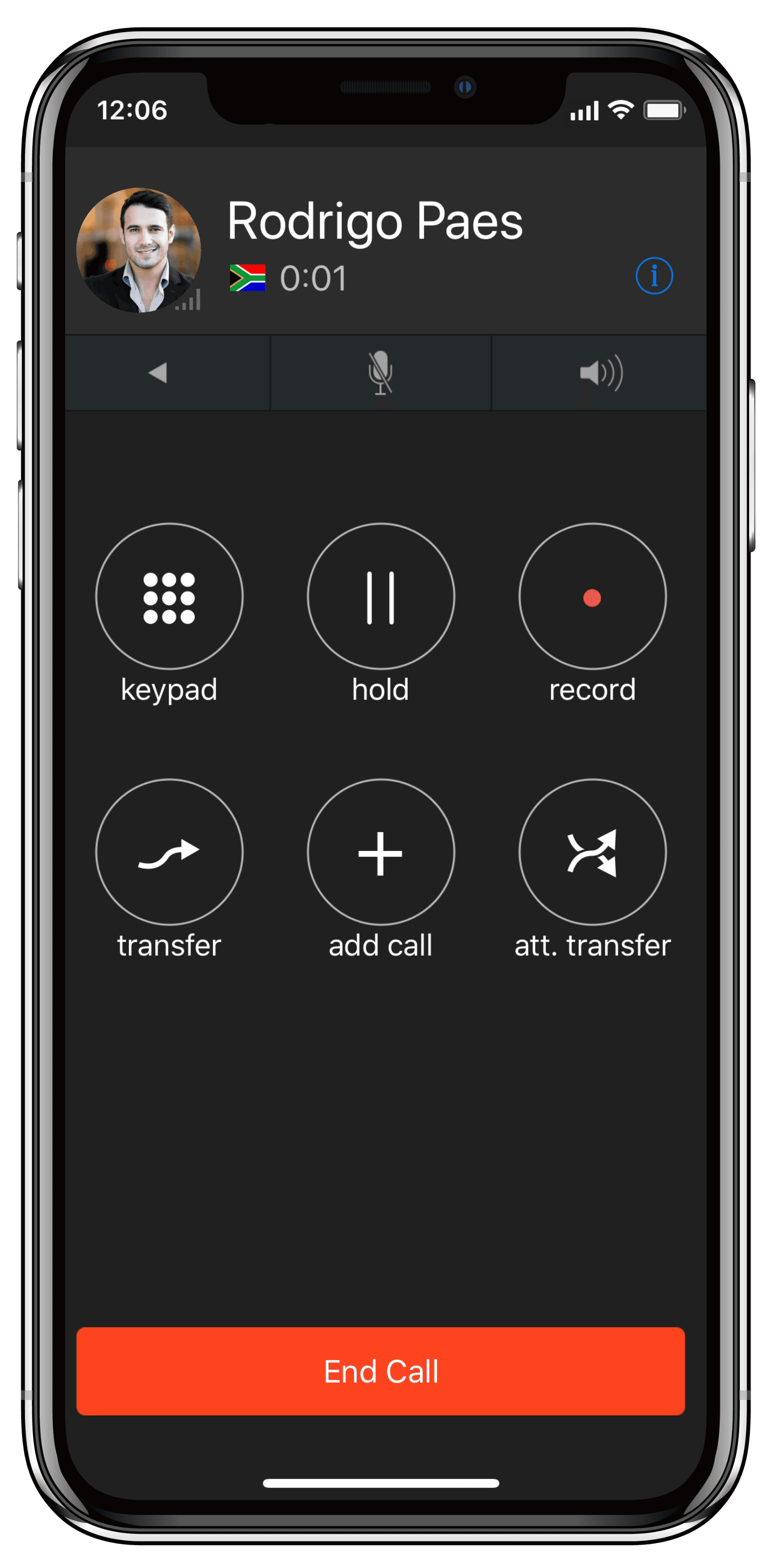
Work from anywhere with full business call functionality.
Keep your team unified no matter where they are
Use your own device and start calling in minutes
Route calls to your mobile instantly — your team reachable anywhere.




SAME
Number — your business caller ID, not your personal mobile
iOS
& Android — available on both platforms, free to download
FULL
PBX features — transfer, hold, voicemail, extensions, all included
HD
Voice quality — crystal-clear calls over WiFi or 4G/5G data
Benefits
Work from anywhere without missing a beat
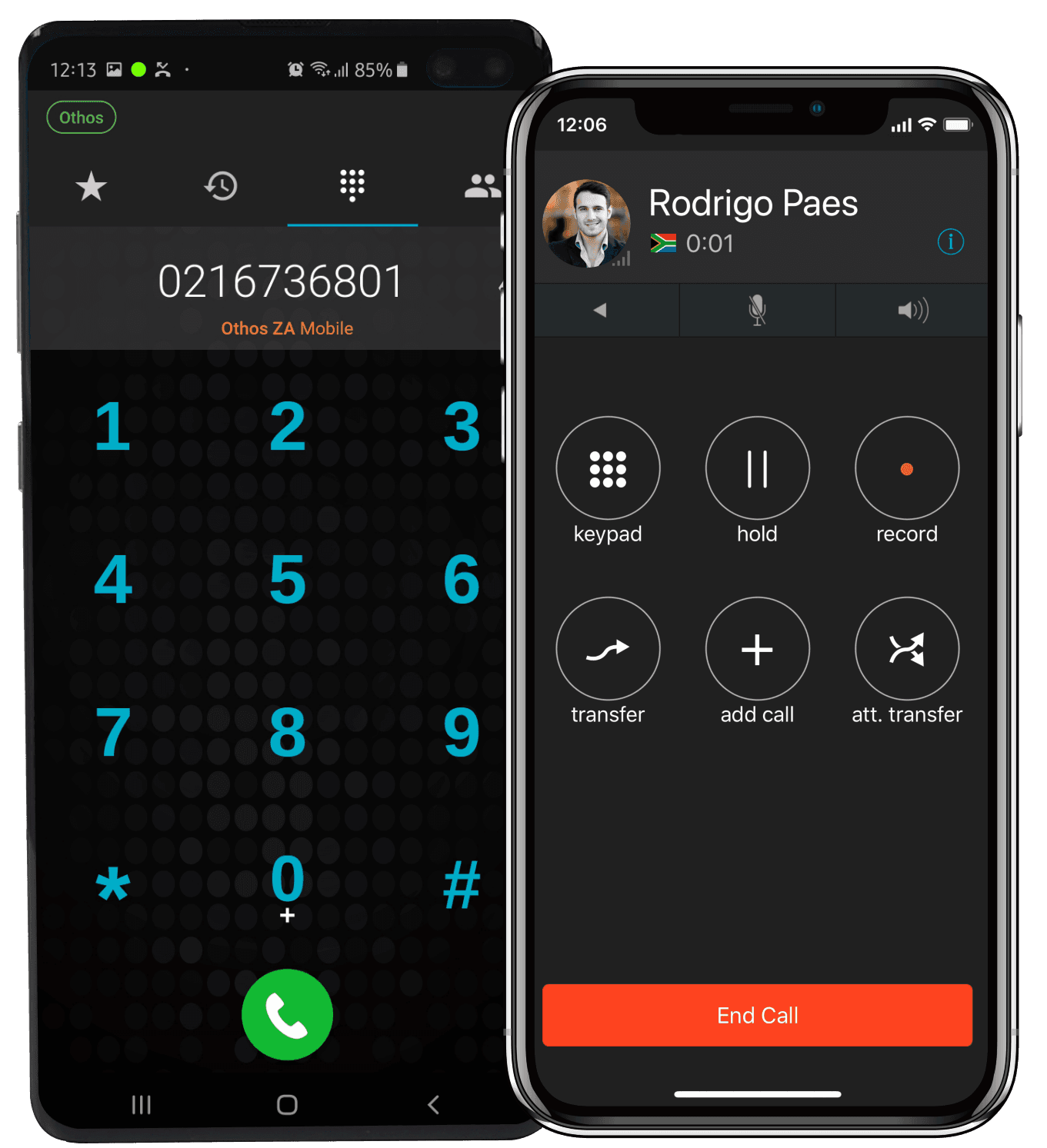
The Othos app keeps your team connected and professional whether they're in the office, at home, or on the road.

Keep your business number
Every call you make shows your business number, not your personal mobile. Stay professional from anywhere — clients never see your private number.

Works over WiFi & mobile data
Connect from anywhere you have internet — office WiFi, home broadband, 4G or 5G mobile data. No VPN, no special setup, no IT department needed.

Full call management
Transfer calls to colleagues, put callers on hold, access your extension directory, and manage your voicemail — all the PBX features you'd expect, right on your phone.

Never miss a call

BYOD — use your own device

Same system as your team
App users are full extensions on your Othos PBX — they ring in ring groups, appear in the operator panel, and receive calls routed through your IVR just like desk phone users.
What's included
Everything the app can do
The Othos mobile app is included with every Cloud PBX plan — no extra licence, no per-user fee.
Make & receive calls over WiFi or mobile data
HD voice quality on every call
Business caller ID — your number, not your personal mobile
Call transfer to any extension or external number
Call hold with music on hold
Access voicemail and voicemail-to-email
Full extension directory — call colleagues by name
Push notifications for incoming calls
Call history and itemised call logs
Appears in ring groups and IVR routing
Works alongside desk phones on the same extension
Available on iOS (iPhone) and Android
Use Cases
Who uses the Othos mobile app most?
Any team member who isn't always at their desk will benefit — which in most businesses is everyone.
Staff working from home stay connected to the full office phone system. They can receive calls, transfer to colleagues and access voicemail exactly as if they were in the office.
Teams on-site at client premises stay reachable on their business extension. Customers call the office and get transferred through — no one needs to know the technician's mobile number.
For a fully remote business, the mobile app is the entire phone system. Professional business numbers, call routing, voicemail and extensions — no physical office required.
Staff across different locations — Cape Town, Johannesburg, Durban — all share the same phone system and extension directory. Internal calls are free, regardless of location.
Route urgent after-hours calls to an on-call mobile extension through the IVR. The on-call staff member receives calls through the app — no need to share personal numbers.





FAQ
Couldn’t find what you were looking for?
write to us at
Does it work on both iPhone and Android?
Yes. The Othos app is available on both iOS (iPhone) and Android. Your team can use a mix of devices — all connecting to the same PBX system with the same features regardless of platform.
Will my personal mobile number show when I call clients?
No. When you make calls through the Othos app, your business number appears as the caller ID — not your personal mobile number. This keeps your private number private and maintains a professional image with clients.
Is the mobile app included in all Othos plans?
Yes. The Othos mobile app is included with all Cloud PBX plans at an additional cost. You can set up app extensions for every member of your team.
Does the app work over mobile data or only WiFi?
Both. The app works over WiFi and mobile data (3G, 4G, 5G). Call quality depends on your connection strength — a strong 4G or 5G signal delivers excellent HD voice quality. We recommend WiFi calling wherever possible for the best experience.
What happens to app calls during load shedding?
Because the Othos app runs on your mobile data connection rather than fixed-line infrastructure, calls continue uninterrupted during load shedding — as long as you have mobile data signal. This makes the app an excellent business continuity solution for SA businesses.

Our SA-based support team configures the app extensions for your whole team as part of your onboarding. Download, log in, call — that's it.
EXPLORE MORE FEATURES


