





Most SA law firms are on a phone system not built for legal practice
If any of these sound familiar, your phone setup is costing you clients and leaving the firm exposed when a matter goes wrong.
Client instructions on record
Calls are recorded and searchable by date, extension or number. When an instruction or a fee is disputed, you can play back exactly what was said.
Attorneys reachable at court
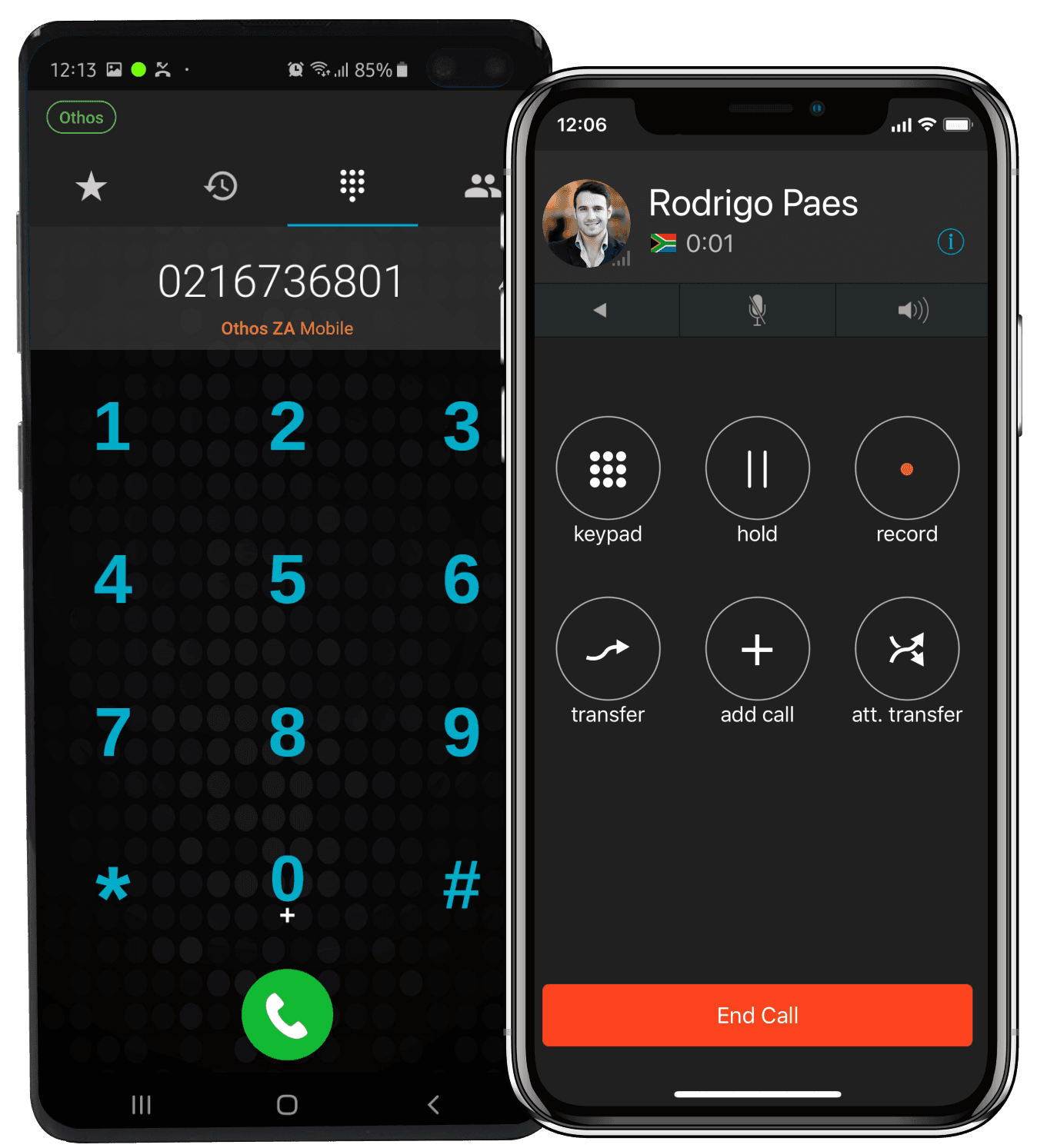
Calls ring on the Othos mobile app with the firm’s number as caller ID, so attorneys can return calls between matters without giving out a personal number.
Callers reach the right practice area
Your IVR sends conveyancing, litigation, family law and accounts calls to the right team, so reception isn’t the bottleneck.
Recordings only the right people can open
Admin-only access controls, an audit log of who accessed which recording, and retention periods you set.
FEATURES FOR LAW FIRMS
Every feature your firm needs — nothing you don’t
Built around how SA attorneys work: in court, at the Deeds Office, in consultations, and with clients who want an update on their matter.

Call recording — every instruction documented
Record inbound, outbound or both per extension, with an optional “this call may be recorded” announcement. Search by date, extension or duration and play calls back in the browser. Recordings are stored on SA-based infrastructure.

IVR — callers choose their practice area
“Press 1 for conveyancing, 2 for litigation, 3 for family law, 4 for accounts.” Multi-level menus send every caller to the right team without reception transferring each call.

Mobile app — reachable at court
Every attorney’s iPhone or Android becomes a business extension. Calls ring wherever they are, the firm’s number shows as caller ID, and they can transfer a call back to a secretary in the office.

Web phone — calls from the computer you work at
Secretaries and attorneys take calls in Google Chrome on Windows, Mac or Linux. See who is free before transferring, and check with the attorney first using an attended transfer.

Time conditions — after-hours and urgent matters
Outside business hours, calls go to a professional message, voicemail-to-email or an on-call attorney’s mobile. Public holidays are scheduled in advance and switch automatically.

Call logs and CRM integration
Every call is logged with date, duration and who handled it. Native HubSpot, Salesforce and Zoho integrations, plus the Othos REST API and webhooks for connecting your practice management software.
LAW FIRM SCENARIOS
How Othos works in your firm day-to-day
These are situations SA law firms deal with every week, and how Othos handles each one.
TYPES OF FIRMS WE SERVE
From sole practitioners to multi-office firms
Any legal practice that relies on the phone to take instructions and keep clients updated will benefit.
GETTING STARTED
From demo to live calls in three steps
No engineer visits and no on-site hardware. Our SA-based team handles the setup with you.
WHY OTHOS
How Othos compares to what most law firms use today
Many SA firms still run on an on-site PBX or on attorneys’ personal cellphones. Here’s how they compare.
WHAT’S INCLUDED
Everything your law firm needs in one system
No on-site PBX and no hardware to maintain. Talk to us about the right plan for your firm.
Call recording — per extension, SA-hosted
Recording access controls and audit log
IVR auto-attendant — route by practice area
Ring groups — per department or per attorney
Call queues — no busy tones at peak times
Mobile app — iOS & Android for every attorney
Web phone and desktop app for the office
Voicemail to email — every message in your inbox
Time conditions — after-hours and public holidays
CRM integration — HubSpot, Salesforce, Zoho
Multi-office — all branches on one system
Number porting — keep your existing numbers
WHAT BUSINESSES SAY ABOUT OTHOS
SA businesses that made the switch — and never looked back

FAQ
Couldn’t find what you were looking for?
write to us at
Do we have to tell clients that calls are recorded?
Under POPIA, callers should know when a call is recorded. Othos can play a pre-call announcement such as "this call may be recorded" through your IVR, and you set how long recordings are kept. We recommend confirming your recording policy with your own compliance adviser.
Can attorneys take firm calls while they're at court?
Yes. The Othos mobile app on iOS or Android turns an attorney's phone into a business extension. Calls to their extension ring on the app, the firm's number shows when they call out, and they can transfer a call back to the office.
Can callers choose between conveyancing, litigation and other departments?
Yes. Your IVR can have as many options and levels as your firm needs. Each option can go to a ring group, a call queue, a single attorney's extension or voicemail, and partners can have their own direct numbers too.
What happens to client calls when an attorney leaves?
Clients call the firm's business number, not the attorney's personal cellphone, so the relationship stays with the firm. The extension is reassigned to a colleague, and the call history and recordings stay with the firm.
Does Othos integrate with our practice management software?
Othos has native integrations with HubSpot, Salesforce and Zoho for screen pop, click-to-dial and automatic call logging. For legal practice management systems, the Othos REST API and webhooks let your developer or software vendor log calls against client matters. We can talk through your software during the demo.
Call recording, IVR routing by practice area and a mobile app for attorneys at court, in one cloud phone system set up for you by our SA-based team.
EXPLORE OTHOS CLOUD PBX FEATURES

